
Published: 18 August 2026 | Last updated: 18 August 2026
Author: Mozambique Visa Guide editorial team. This portal is an independent informational resource for tourists. We are not affiliated with the Government of Mozambique or any embassy. Our guides reference the government’s eVisa portal at evisa.gov.mz as an external resource.
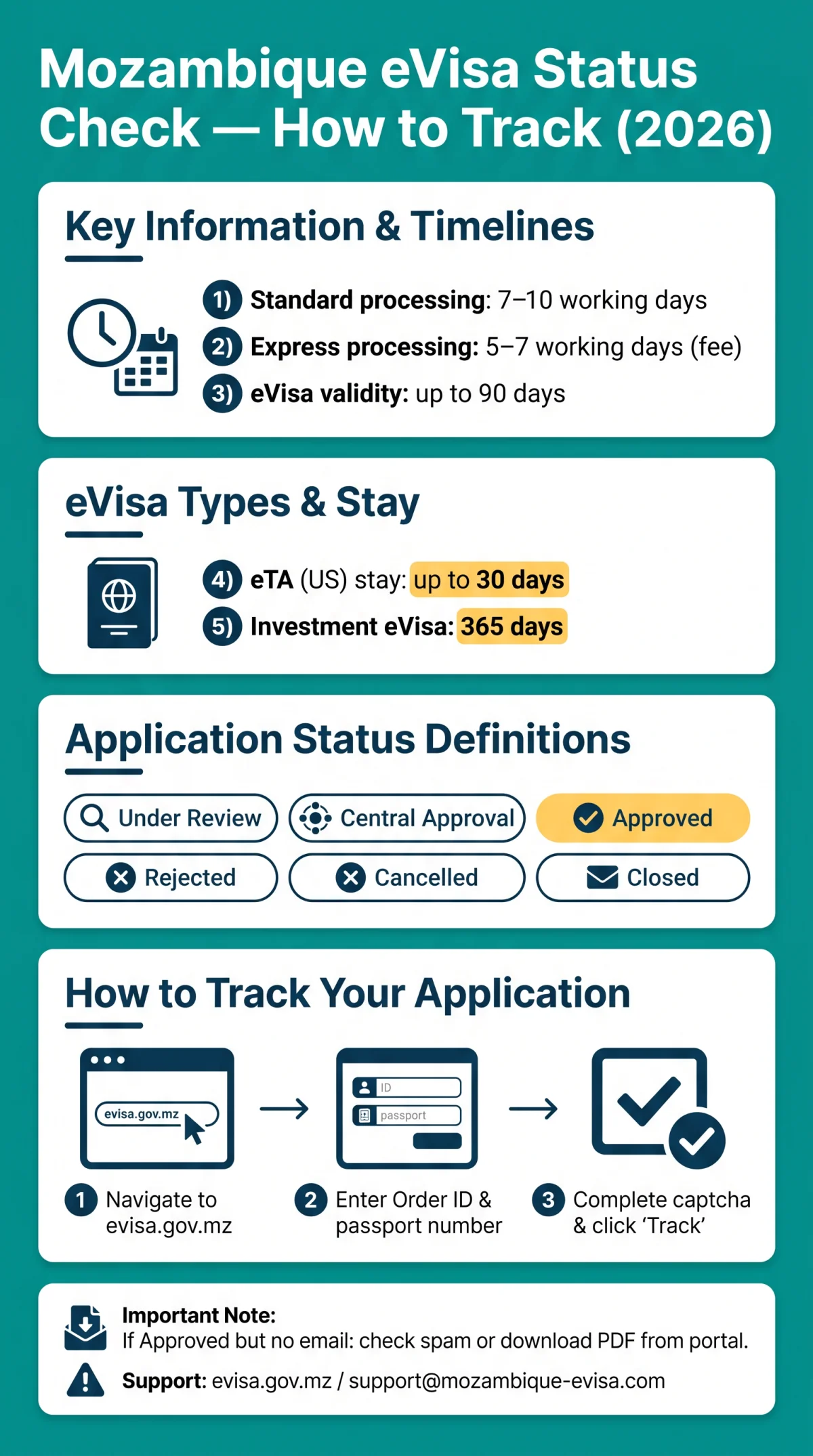
To perform a Mozambique eVisa status check, visit the government’s eVisa portal at evisa.gov.mz, enter your Order ID and passport number, complete the captcha, and click “Track.” Standard processing takes 7 to 10 working days. If your approval email has not arrived, check all folders or download the PDF directly.
Once you submit your application, the portal sends a confirmation email containing your Order ID, the alphanumeric reference code required for every Mozambique eVisa status check. Without this code, you cannot retrieve your application status online. Both the eVisa (up to 90 days validity) and the eTA (up to 30 days stay for US travelers) use the same tracking portal and the same process.
How to Check Your Mozambique eVisa Status Online
Enter your Order ID and passport number at evisa.gov.mz, complete the captcha, and click “Track” to see your status.
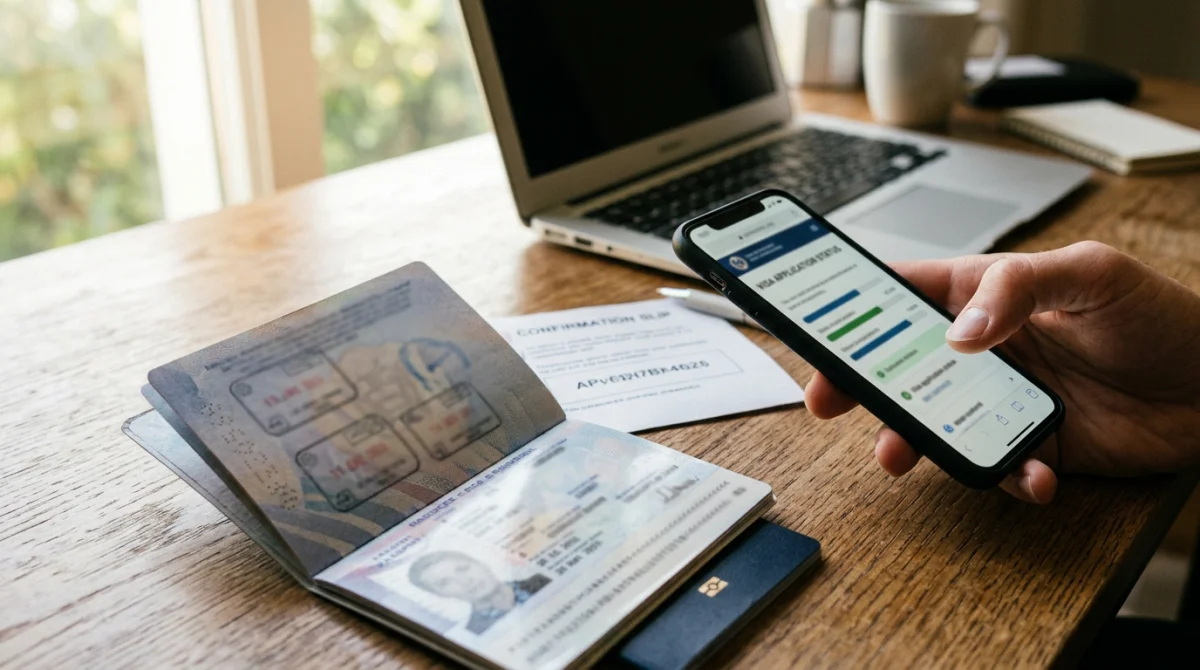
- Navigate to the portal. Open evisa.gov.mz and locate the “Track Application” feature on the homepage.
- Locate your Order ID. Find this alphanumeric code in the confirmation email sent immediately after submission. It appears in both the subject line and body.
- Prepare your passport number. Enter the exact passport number used during your application.
- Enter both fields and complete the captcha code. The application status page requires a valid captcha code to prevent automated queries.
- Click “Track” and read the result displayed on screen: Under Review, Central Approval, Approved, Rejected, Cancelled, or Closed.
The portal displays one of six statuses during your Mozambique eVisa status check: Under Review, Central Approval, Approved, Rejected, Cancelled, or Closed.
Where to Find Your Order ID
- Included in the confirmation email sent immediately after submission
- Located in the subject line and body of the email
- Format: alphanumeric code unique to your application
- If lost: contact support with your full name and passport number to retrieve it
eVisa vs eTA Tracking
| Document Type | Validity / Stay | Tracking Portal |
|---|---|---|
| eVisa | 90 days validity | evisa.gov.mz |
| eTA (US citizens) | 30 days stay | evisa.gov.mz (same portal) |
Both document types use the same Order ID format and identical tracking steps. The United States is an ETA-eligible country for tourist and business travel with all passport types accepted. No separate Mozambique eVisa status check process is needed for either document.
What Your Mozambique eVisa Application Status Means
Six possible statuses can appear during a Mozambique eVisa status check, each requiring a different next action.
| Status | What It Means | What to Do Next |
|---|---|---|
| Under Review | Application received and being processed | Wait within standard 7-10 working days |
| Central Approval | Escalated to senior consulate staff for verification | Wait 1-3 weeks; contact support if longer |
| Approved | eVisa granted; PDF email on its way | Download PDF from portal if email missing |
| Rejected | Application denied | Reapply or apply for a sticker visa at nearest embassy |
| Cancelled | Application withdrawn or voided | Contact support to understand next steps |
| Closed | Case concluded without a decision | Contact support for clarification |
Standard processing time is 7 to 10 working days. Express processing takes 5 to 7 working days for an additional fee. Investment eVisa validity is 365 days with multiple entry. Sport or Culture eVisa validity is up to 30 days with single entry only. Your Mozambique eVisa status check will reflect which stage your application has reached within these timelines.
Central Approval and Preliminary eVisa
“Central Approval” appears when information seems suspicious and needs senior consular review. This extended review can take 1-3 weeks based on traveler reports (not official data). A representative may contact you for further verification and supporting documents.
A “preliminary eVisa” is conditional and not final; only the final PDF allows travel. The preliminary eVisa appears at an intermediate step per the government portal’s Step 3 instructions: “Check email for the preliminary eVisa/eTA.”
Haven’t Received Your Mozambique eVisa Email? Here’s What to Do
If your Mozambique eVisa status check shows “Approved” but no email has arrived, follow these steps:
- Check spam/junk/promotions folders. Email notifications can be automatically filtered into other folders.
- Verify email address. Confirm the address you entered during application matches your actual inbox.
- Log into the portal. If status shows “Approved,” look for a “Resend Email” option or download link.
- Download the PDF directly from the portal as an emergency fallback when email fails.
- Contact support at support@mozambique-evisa.com, WhatsApp, or live chat. Include your Order ID, full name, and date of birth.
Typically, the approved eVisa email arrives within minutes to 24 hours after status changes to “Approved.” For official status inquiries, you can also use the “Contact Us” form on the government’s evisa.gov.mz portal. If the Mozambique eVisa status check confirms approval, the PDF download from the portal is a valid fallback.
Can’t Track Your Application? Alternative Portals and Troubleshooting
If “Not Found” appears during your Mozambique eVisa status check, clear cache or use VFS Global if you applied via embassy.

- Tracking page shows “Not Found”: Clear your browser cache, try incognito mode or a different browser, and verify your Order ID against the confirmation email. A failed Mozambique eVisa status check often stems from a typo in the application reference code.
- VFS Global portal: Track at mnzonline.vfsevisa.com if you applied through an embassy. Required fields: Web Reference Number, Passport Number, and Date Of Birth.
- JsdBiz portal (jsdbiz.com): Only for applications submitted there. Login with email or application ID plus passport number for 24/7 real-time updates. Not affiliated with Mozambique government. Contact support@jsdbiz.com.
- Portal down: Email support@mozambique-evisa.com, use WhatsApp, or visit the nearest Mozambique embassy in the USA.
FAQ: Mozambique eVisa Processing Times and Status Updates
How long does a Mozambique eVisa status check take to process?
Standard: 7 to 10 working days. Express: 5 to 7 working days (extra fee). Senior consulate review may extend the timeline.
My tracking page shows “Not Found.” What should I do?
Verify your Order ID against the confirmation email. Clear browser cache, try incognito mode, or use a different browser. If the problem persists after 24 hours, contact support with your Order ID and full name.
Can I track my family’s eVisa applications with one reference number?
No. Each Mozambique eVisa application receives its own unique Order ID. Track each family member’s application individually using the respective Order ID and passport number. There is no group tracking feature on the evisa.gov.mz portal.
Can I change my passport number after submitting my application?
Contact support immediately. Using a different passport may cause denial of entry. Support can advise on whether an update is possible or if you need to reapply with the new passport details.
How long after approval will I receive my Mozambique eVisa email?
Typically within minutes to 24 hours after your status changes to “Approved.” If longer, check all email folders including spam and junk, then log into the portal to download the PDF directly.
FAQ: Troubleshooting eVisa Errors, Rejections, and Special Cases
Can I download my approved eVisa PDF directly from the portal?
Yes. If your application status shows “Approved,” the portal provides a download option for the eVisa PDF. Print a copy and have it ready for boarding and arrival.
My application has been “Under Review” for over two weeks. Is this normal?
If your wait exceeds two weeks, the status may have moved to “Central Approval,” meaning additional verification by senior consular staff. This can take 1 to 3 weeks based on traveler reports. Contact support with your Order ID.
I paid for my Mozambique eVisa but the status doesn’t show payment confirmation. What should I do?
If payment was successfully charged but status hasn’t updated, wait 24 hours. If still unresolved, contact support with your payment receipt and Order ID.
What should I do if my Mozambique eVisa application is rejected?
You have three options: reapply with corrected information and documents, apply for a sticker visa at the nearest Mozambique embassy or consulate, or contact support to learn the specific reason for rejection.